Brave Origin Review: Is the New $60 Paid Browser Worth It?
Brave just launched Brave Origin. A paid, stripped-down browser with no AI, no crypto wallet, and no telemetry. I paid $60 to test it so you know what to expect.

One of our most popular videos ever showed how to strip Brave down to its bare bones for free—effectively 'debloating' it. Brave noticed that demand from their users and launched Brave Origin Nightly, a $60 one-time purchase that does it for you straight from the source code. Brave Shields, strong privacy, strong security, no bloat. So the obvious question: is this legitimate, or are they charging you to undo their own choices?
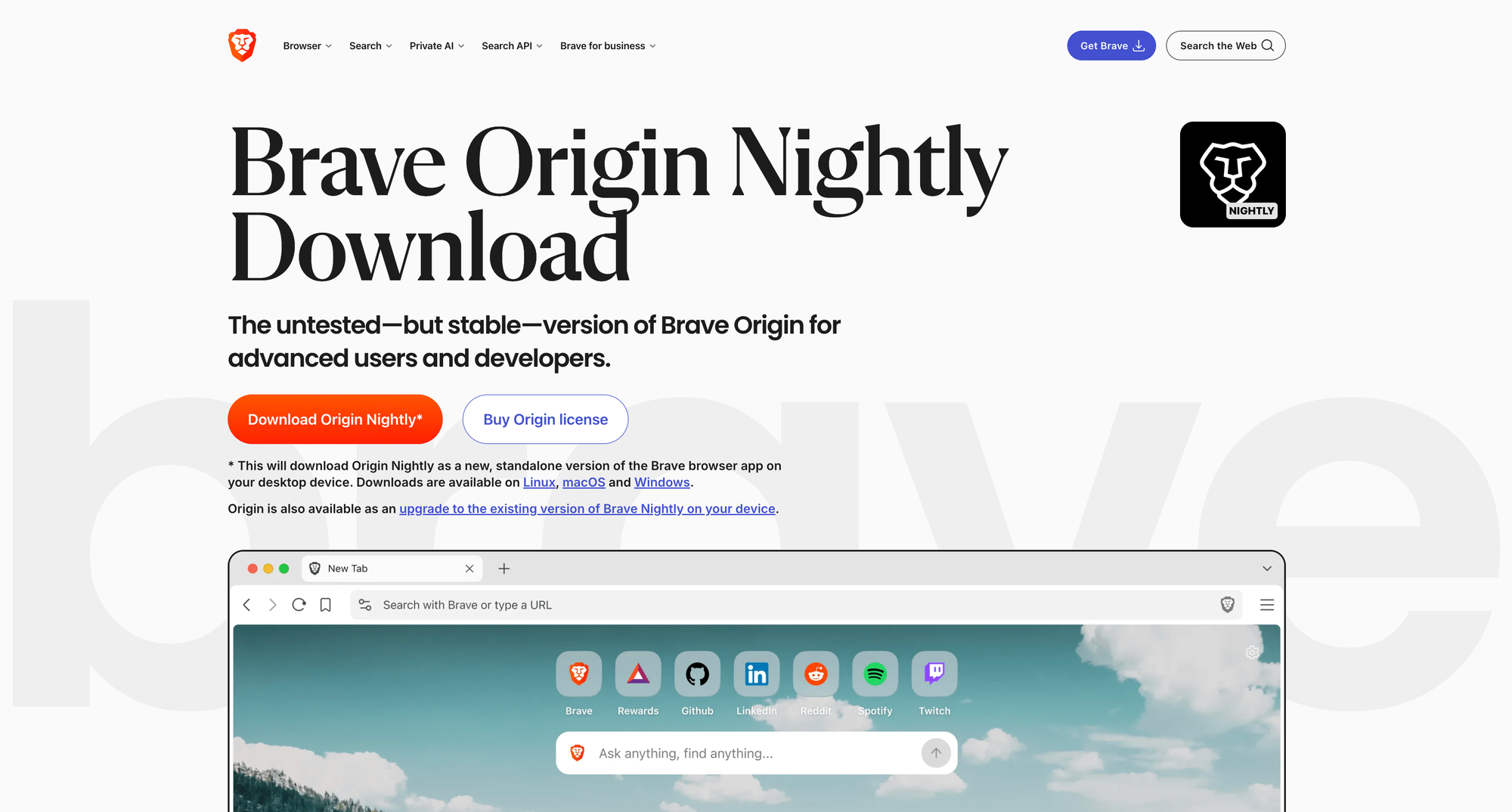
While Origin is currently only in Brave Nightly, it'll be available as a stable release soon. Here's what Brave Origin removes by default according to their support article:
- Leo
- News
- Playlist on iOS
- Rewards (disables Brave Ads)
- Speedreader
- Telemetry
- Talk
- Tor
- VPN
- Wallet
- Web3 domains
- Wayback Machine
- Web Discovery Project
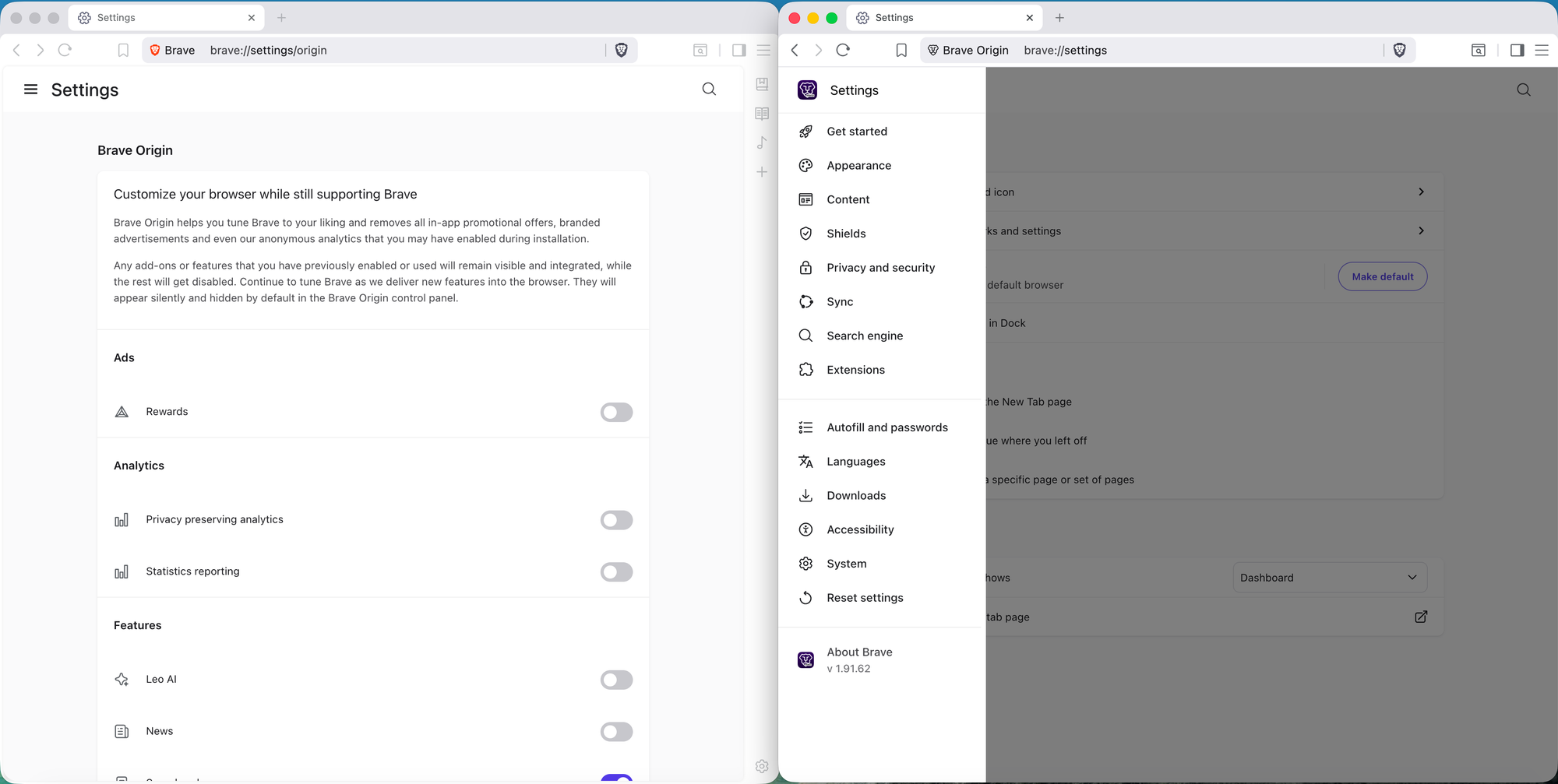
That's a significant list, but how those features are removed depends on which version you use:
- The first method is the dedicated, standalone Brave Origin browser. This is its own package with the features compiled out of the build entirely. This is great for purists who want the code removed completely, but you can't manually enable any features.
- The second method is a paid upgrade inside the standard Brave Browser. This will deliver the same Origin experience, but you gain the option to re-enable individual toggles for each feature in Settings > Brave Origin. In my opinion, most people should use this method as it offers more flexibility.
It's important to mention you can use both on the same system like I showed in the screenshot above. This presents a fascinating new workflow where you can someday have two stable instances of Brave on your machine—one is automatically 'mostly clean' and one is automatically 'completely clean'—and you can utilize them for different use-cases. The license works with up to 10 browsers, so it's quite flexible.
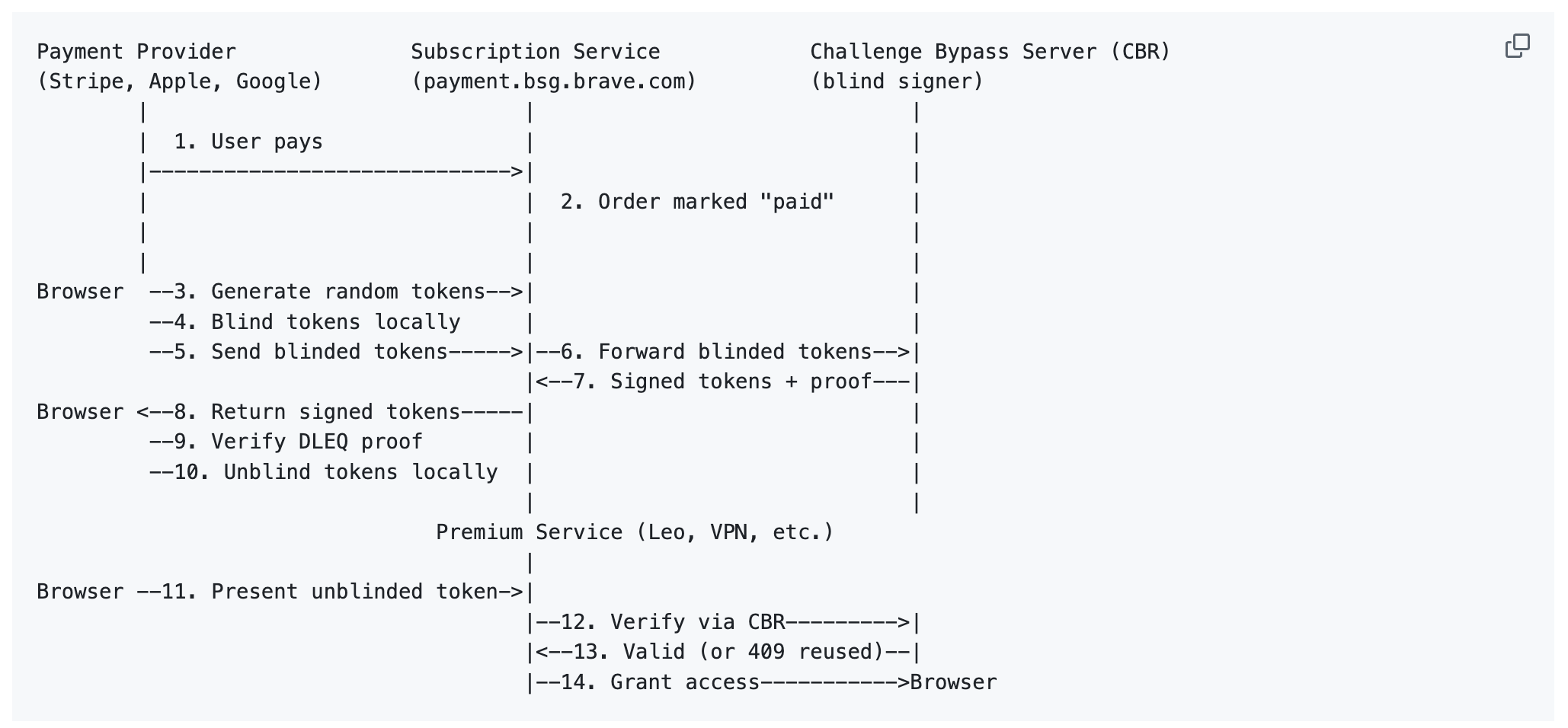
From a privacy angle, I have to give Brave credit here: they implement Privacy Pass blind token technology so the $60 purchase isn't tied to any specific browser. The browser just knows yes or no that you paid. Nice touch.
My honest take after testing it? I'll almost never recommend the standalone app for most users by itself. Too many things are gone: Speed Reader, Tor windows, Wayback Machine. These are actually useful! I think the smarter path is upgrading to Origin within Brave, where those features are still accessible if you want some of them back. Perhaps there are environments like schools or companies where the standalone version would make more sense.
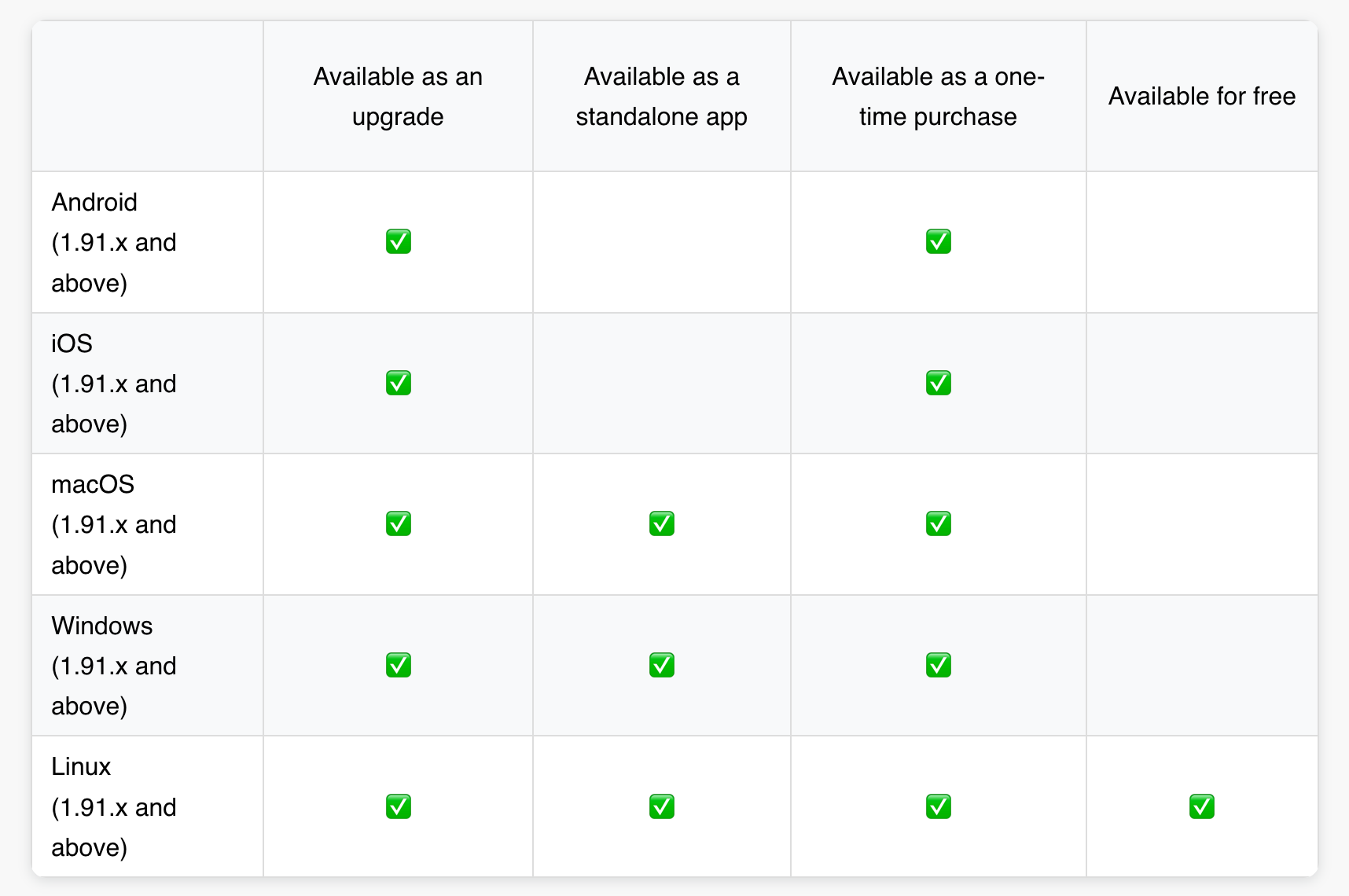
Now there's one massive win here that Brave is underselling...this is completely free on Linux. So if you're using Brave on Linux, you'll get access to Brave Origin as both an "upgrade" inside regular Brave, or the standalone app. This is huge!
And now the cost....I can't say I mind it. Every browser has to make money somehow. Chrome does it through your data. Firefox survives largely on Google's search deal. Forks of Firefox survive indirectly through Firefox footing that bill by maintaining nearly the entire codebase. I've spoken (and met!) Firefox & Brave engineers—and I can tell you they're brilliant and certainly couldn't work on these projects full time if they were free. Brave has been trying to build their own revenue stream through its VPN, cryptocurrency, and other things many of us found frustrating to navigate.
What Brave Origin does for the first time is shift the incentive. You're a paying user again—not a data point, not an attention metric, not someone they're hoping sticks with the default Google search or someone who uses cryptocurrency. It's a direct relationship between you and the company building your browser. Browsers used to be paid software, and I'd argue their priorities reflected that. Free browsers have brought internet access to billions of people and that matters—but free isn't actually free, and Brave Origin is our first, modern example of what a premium browser looks like with a complete dedication to the user.
If you're on Linux, this is a no-brainer—it's completely free. For everyone else, I can't say I'm mad the option exists. Regular Brave hasn't changed, our tutorial still debloats it for free, and we now have a genuine user-first browser option I didn't think we'd see in 2026. Of course, the last reason to consider this is if you just want to support Brave developers.
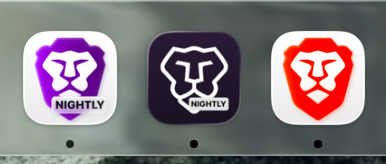
If you're wondering what I'll be doing: Brave is already my default browser on my devices, with Mullvad Browser/Tor Browser/Firefox for other use-cases. (Visit our SPA Essentials to learn more about these!) Since I had to pay to test out Brave Origin for this review, I suppose I'll be using it from here on out once it's in the stable release and it will save me time from debloating future devices. I plan to go with the 'upgrade' path—and down the road I'll explore the dedicated package to see if it fits in any part of my workflow. (I love that new Origin icon!) I covered more of my thoughts in a dedicated deep-dive on YouTube & PeerTube:
Edit: Important correction on the 10 licenses I learned after the review: I said "10 devices" but it's actually 10 activations...not 10 simultaneously active devices. That's a real difference I think is worth calling out. I already burned 2 activations just making this review. If you reinstall, switch machines, or test it like I did, those activations disappear. For $60, I'd expect this to be done by total active devices (like most professional software!) and I hope Brave reconsiders this before stable release.
Second edit: Good update—found this post from a team-member that clarifies: "We're going to add controls before this hits Release channel on account.brave.com to be able to self-extend the number of activations so you don't need to reach out to support to do it." so hopefully that makes the activations less of an issue!
Watch on Techlore.TV for an ad-free, surveillance-free viewing experience
Written by

Get Ahead of the Snoops with Surveillance Report
Surveillance Report: what matters in privacy, security, and digital rights. Weekly, free.