Five Years Later, Why We're Scrapping Our Nextcloud Series
In November 2021 I promised a Nextcloud series. Today, after five years, two restarts, and a few lessons already in the can, I'm scrapping it. Here's what went wrong, why none of it is Nextcloud's fault, and why knowing when to drop something is a skill I wish I'd learned sooner.

We don't always work quickly. While a lot of our news-based content at Techlore is quite quick, our produced content is a different beast altogether. Take Go Incognito, our original 4+ hour course which took over 2 years to produce. Many of our other dense videos can take weeks to produce, and that's because I believe educational content should hit a high level of quality. Why? Because:
- I love it! The craft is what keeps me doing this over 10 years later.
- Making accessible educational content for technical concepts is challenging. The simpler a concept is to the viewer, the more hours it likely took to produce.
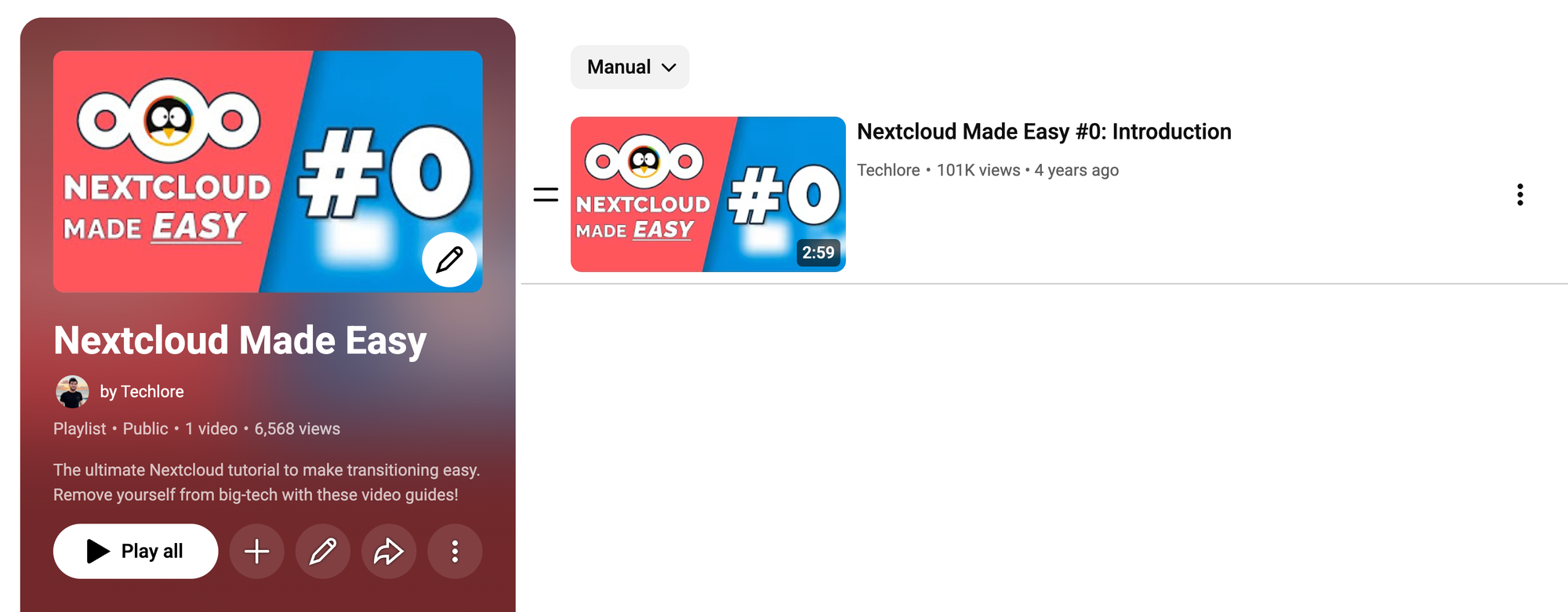
Nextcloud Made Easy: A Timeline
So what happened to the Nextcloud series? We put out a video (now unlisted to avoid confusion) promising an all-in-one Nextcloud series called 'Nextcloud Made Easy'. The premise was simple: We do what we do best at Techlore and make hosting your own cloud easy as hell. Just like we did with Veracrypt, OnionShare, Cryptomator, NextDNS, and many other powerful tools we wanted to be more accessible to people.
Here's a quick recap of how it went:
- November 2021: Original video teasing the Nextcloud series goes live.
- November 2021-April 2022: We fell behind on production with other content and paused the series.
- April 2022-December 2025: As Tolkien might say: "the Ring passed out of knowledge and legend; and even so much of its history is known now only to a few, and the Council of the Wise could discover no more."
- January-August 2026: I decided we had to close this loop. I updated the outline, and we started production.
- August 6th, 2026: After making progress on the first few lessons, today I've decided to scrap it.
What happened??
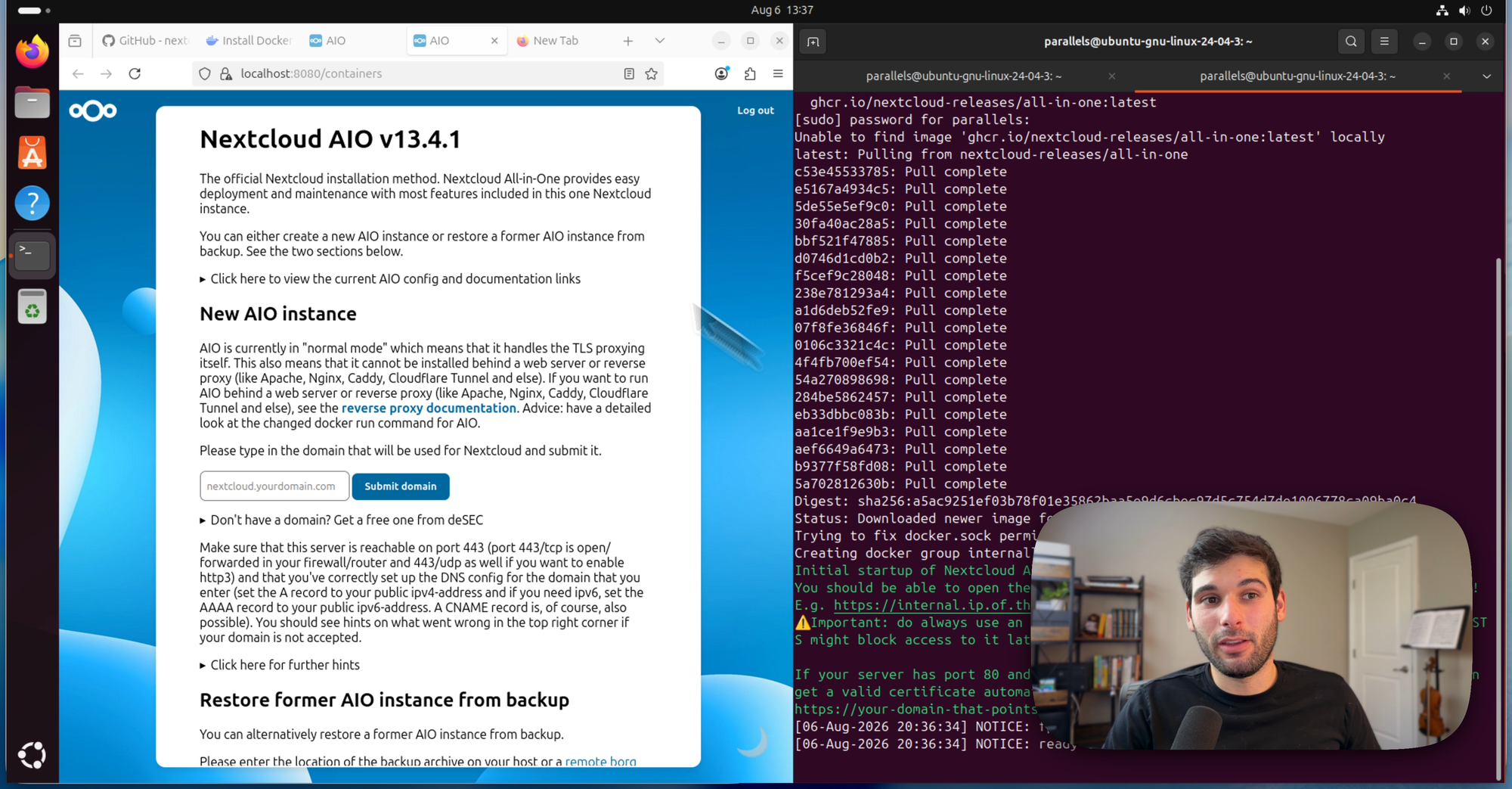
Here's what happened in just the first lesson. For context: the goal of Lesson 1 was to guide the viewer to access http://localhost:8080 in their browser to load the Nextcloud dashboard from a docker container on their own machine. The goal here is to help the viewer dip their toes into a version of Nextcloud they personally spun up. Seems simple, right? Well:
- Nextcloud's recommended install method is the All-in-One, a Docker container that spins up the entire stack. It's elegant, but it doesn't like to run without a real domain name and a TLS cert, which means there's no "just try it on your laptop first" mode. I demonstrated this in the lesson, but without the live domain there was no dashboard for a user to actually use it.
- So I tried the plain Docker image instead, which runs without needing a real domain. I had PHP crash with segmentation faults on two separate machines likely due to ARM. While this certainly could have been fixed, remember that this is a series for beginners. So if anything didn't work properly, it was an instant no-go.
- I then tried the AIO with a free domain through deSEC, which AIO integrates with directly. The certificate request kept failing because it wrote the verification record to the wrong DNS zone in my environment. I eventually got it working, but the caveats required went beyond what I felt a beginner would deal with. I also ruled out the prebuilt VMs, they're massive and would require setting up full-blown virtual machines for just a demo.
- I moved on to the Snap package. This was ironically the best demonstration of Nextcloud for a local testing environment. Shit on Snaps all you want (I will help you!)—but this was the smoothest tool for the job. For reasons I don't need to cover in this blog, recommending a Snap-only approach was off the table.
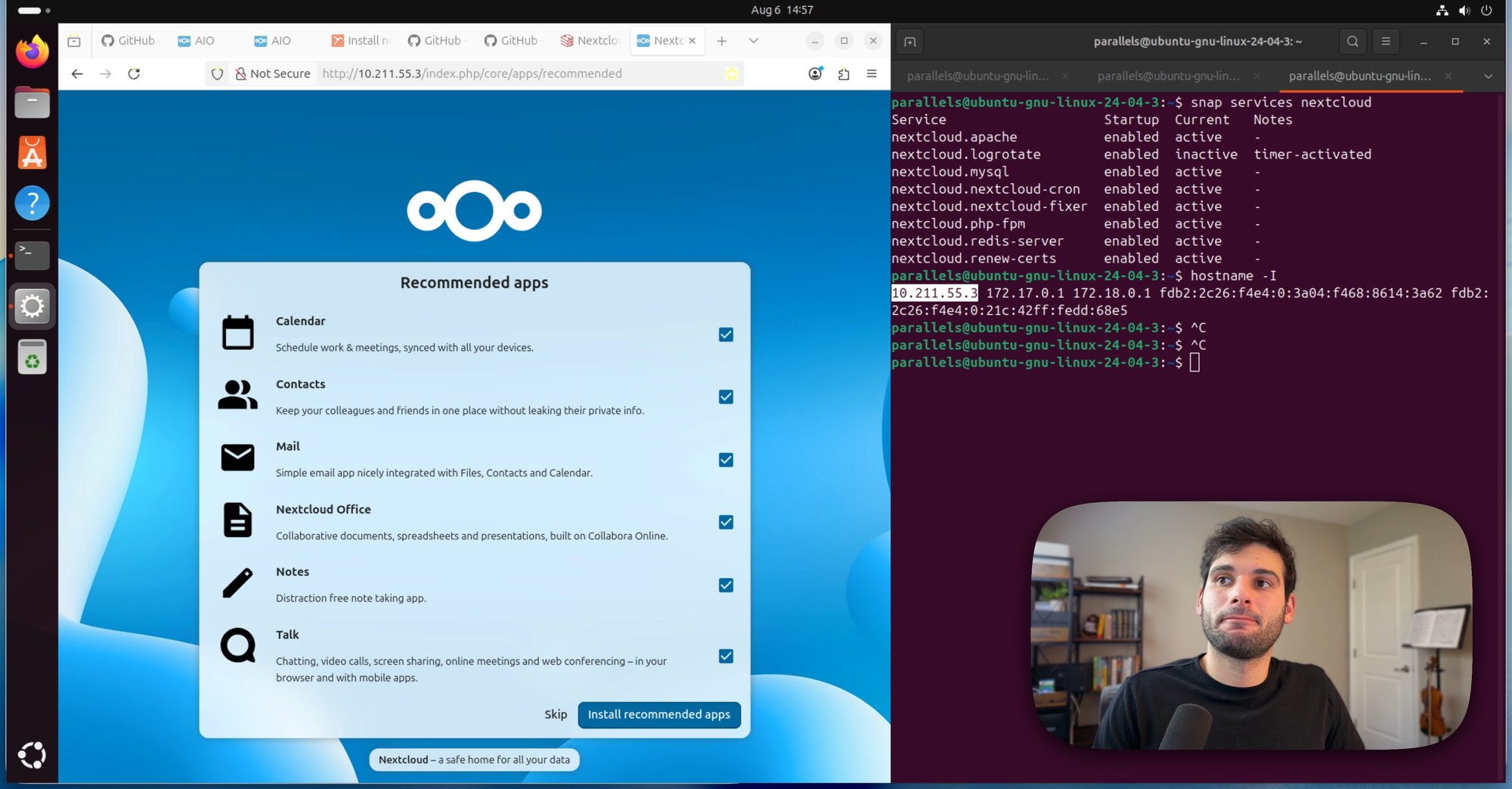
I'm sure there are other ways to pull this off, and I expect to see a few in responses to this blog. (I'm not the world's most experienced self-hoster!) But remember: this is a lesson designed to do things as officially as possible, in a low-stakes environment, for an absolute beginner.
Despite these issues, I moved on to lesson 2: Setting up Nextcloud on a VPS. And I came to a realization when I started recording that before I even started explaining Nextcloud, I had to explain far more than just how to set up Nextcloud. See, for anyone who's IT of your family, you probably know that teaching something is very different from doing something for someone. Here is how it went:
"Create a Hetzner account...oh now let me explain what a VPS is...oh now let me explain what SSH is and how to generate an SSH key...and now let me explain what sudo is...oh now let me explain why not to use sudo...oh now let me explain the firewall and why to open one thing up but not another...what apt is...oh now let me explain installing docker...oh now let me explain docker ps...and that's all just to connect to the box and set up Docker!
When I started thinking of how to explain these things, I realized this wasn't just a Nextcloud series. It was 80% random shit unrelated to Nextcloud, and 20% Nextcloud. For the record, these are all extremely useful skills to know, and I recommend everyone learns them. But it's not what I signed up for, nor what I promised you all when I promised a "Nextcloud Made Easy" series for beginners.
So Henry, Nextcloud Sucks?
No! I understand the natural reaction to this experience is to blame Nextcloud, but really none of these issues are Nextcloud's fault. Nextcloud made the AIO so easy to use for production that it's ironically a less accessible tool for beginners who just want to play with it in their browser locally without a domain. When you actually go host it yourself properly, you'll hit other snags that are typical for self-hosting that aren't normally related to Nextcloud. If you're experienced, you already know how to navigate them. If you're new, hosting any software may bring the same friction points. So the problem is the 80% random shit, not the 20% Nextcloud.
But Henry, Just use Docker Compose / Portainer / CasaOS / YunoHost / etc.
Sure, many of these would probably work. But now I'm teaching a platform before we get anywhere near Nextcloud, and the viewer learns that platform rather than self-hosting. Docker Compose means explaining YAML and a reverse proxy on top of everything else. If your answer is "just use X," you've probably already got the skills that make X make sense. They aren't really a tutorial from the ground-up that teach someone how to run Nextcloud.
So How Would You Run Nextcloud?
I think it depends on the person, the 3 paths I'd personally explore:
- Nextcloud AIO on a VPS I maintain myself. It works, but will have the most maintenance. I wouldn't trust myself to maintain this if it's used for anything sensitive, especially other people's data.
- Tools like Coolify on my own VPS, which has a simple Nextcloud setup. This is my preferred method for our internal self-hosted tools at Techlore. But this bypasses much of the learning experience for new hosters.
- Using a semi-hosted service like Elest.io. This is what we use for public-facing tools like Techlore.TV (PeerTube) Elestio takes care of 80% of the self-hosting, while still giving access to the servers for fiddling. This is my favorite hybrid solution for public-facing tools as someone who's not a SysAdmin and doesn't have hours a week to dedicate to maintenance for a public service. But this also bypasses the learning experience for new hosters, and it's not fool-proof to all issues.
So Where Do You Recommend I Learn this Stuff?
- While it's not quite how I'd structure things, I think the Futo Wiki on a Self-Managed Life is an incredible resource that has more than enough information to achieve success.
- This post on the Nextcloud forum has some great resources.
- The only other advice I can give is you just have to try it. LLMs nowadays can help troubleshoot the common snags, and our tools recommend some privacy-respecting LLMs that helped me early in my self-hosting journey a couple years ago (and still today!)
So What Now?
There's no tidy ending here. We dropped the ball, but I hope the reasons explain why I made the choice. It was either going to be:
- A not-so-easy self-hosting course no longer designed for true beginners
- Or an overly-simplistic course that wouldn't have actually taught how to host Nextcloud from the ground up.
If someone out there cracks this problem and puts a resource together that's accessible to a regular person, I would love to see it. Send it my way and I'll be sure to include it here in this blog 🙏
Something I wish I learned earlier at Techlore was sometimes it's smarter to drop something, even if it hurts to do. Every hour we tried working on Nextcloud was an hour we couldn't put towards Go Incognito v2. Or a Surveillance Report. Or a tutorial for another tool. Sometimes part of trying something new is realizing it doesn't work, and it's better to let it go sooner than let it fade into the abyss for 5 years. I've been getting better at this only recently, hence why we closed our forum, migrated to Ghost to simplify our old site, and now I am formally closing the loop on this Nextcloud series...as painful as it is.
"Easy" was the promise I made in 2021, and I couldn't keep it in 2026. I'd rather share the issues in the open than keep the 100k viewers from the 2021 video waiting for something that was never going to arrive. And if you think you can crack this puzzle, please let me know! Until next time 🫡
Written by
Get Ahead of the Snoops with Surveillance Report
Surveillance Report: what matters in privacy, security, and digital rights. Weekly, free.